
Your Go-To Resource for Business Technology & Cybersecurity
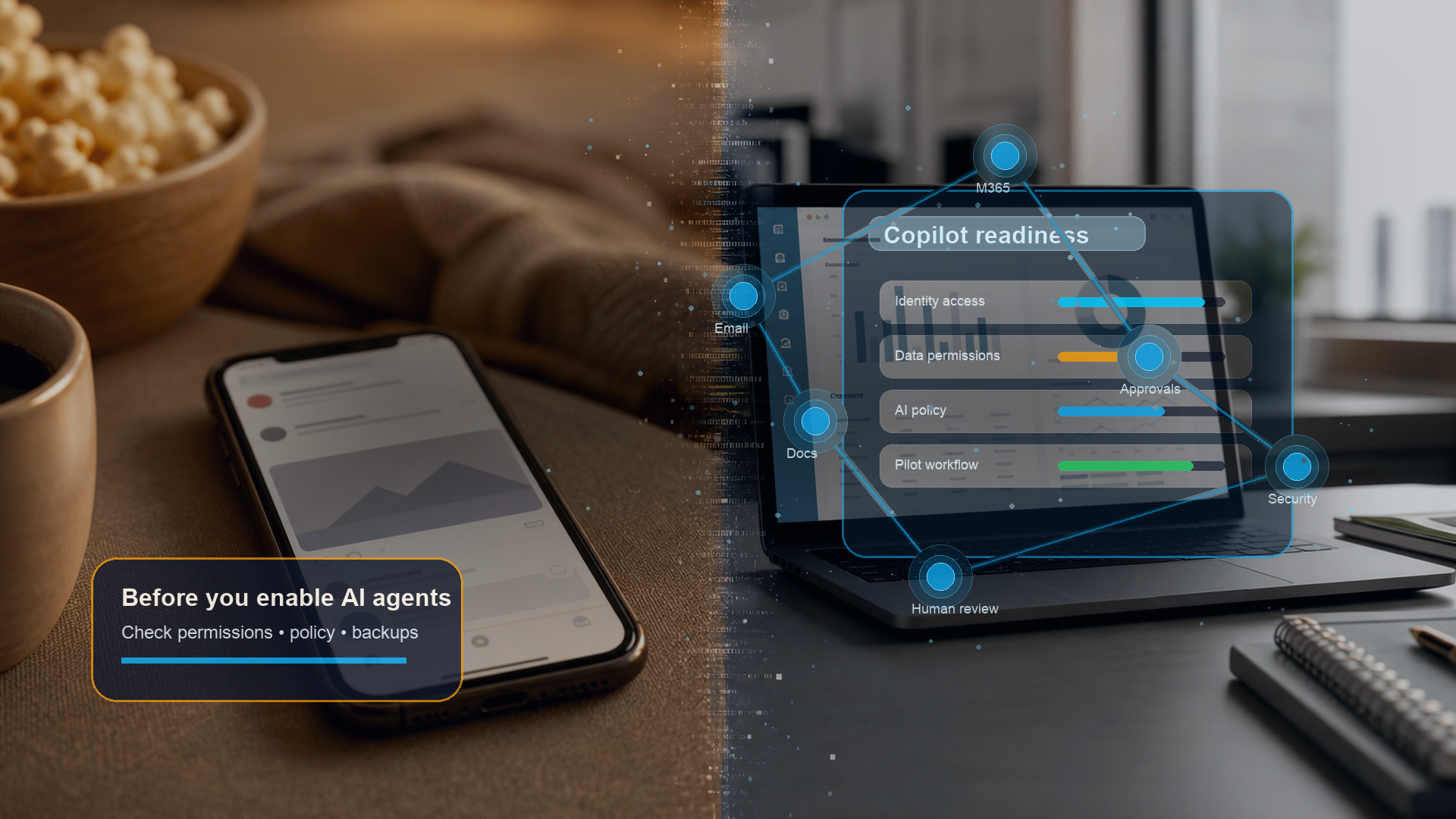
Microsoft Just Made Copilot More Powerful. Is Your Business Ready?
Microsoft 365 Copilot is no longer just a writing assistant. With Copilot Cowork now generally available, Microsoft is pushing businesses toward agentic AI: tools that can plan work, move information between apps, and help execute workflows across Microsoft 365.
For Fort Worth SMBs, that sounds useful. A legal office could summarize client files. An accounting firm could pull details from email and spreadsheets. A contractor could organize project documents faster. But if permissions, policies, and review steps are messy, Copilot will not fix that. It may expose it.
What changed
Before this update, Microsoft 365 Copilot mostly helped users draft, summarize, and search. Copilot Cowork points toward a more active model: AI agents that can work across Outlook, Teams, Word, Excel, SharePoint, and other connected tools.
Microsoft is also pushing Copilot Studio, which lets businesses build custom agents around repeatable tasks. That may help, but only after the business understands what data those agents can touch and who reviews their output.
The risk is not the AI. It is the environment around it.
Most AI risk starts with normal business habits: old accounts, broad file access, shared inboxes, unmanaged devices, and employees using tools leadership does not know about. We have written before about how human habits create security risk. Agentic AI increases the stakes because it can act faster than a person and inherit the same weak permissions.
That matters for Inman's ICPs: construction and trade companies, legal practices, accounting firms, insurance agencies, and other professional services businesses that handle client data. If an AI agent can read project documents, send emails, or summarize financial files, you need guardrails before rollout.
What to check before buying more licenses
Before committing budget, ask four practical questions:
Do we know who can access sensitive files in SharePoint, OneDrive, Teams, and email?
Do we have a written AI usage policy that says what data can and cannot be used?
Do we have a human review step before AI-generated work reaches a client, vendor, or regulator?
Are our endpoint security, backup, and email protection strong enough to support automation?
This is especially important because AI-enabled fraud is already on the rise. If your team is not trained to spot fake requests, tools like Copilot will not prevent invoice fraud. And for contractors, the same readiness basics apply to ransomware and phishing protection.
What readiness looks like
A ready business does not need a giant AI roadmap. It needs a clean starting point. That means current user accounts, role-based file access, multi-factor authentication, managed devices, email protection, backups, and a simple rule for when humans must review AI-generated work.
It also means choosing a single practical pilot rather than turning Copilot on everywhere. For a CPA firm, that might be summarizing client document requests. For a law office, it might be drafting internal research summaries. For a contractor, it might be organizing project notes after a site meeting. The goal is not to automate the whole business on day one. The goal is to prove value in one workflow without creating new risk.
This is where a paid readiness review helps. Inman Technologies can review your Microsoft 365 setup, current security baseline, AI usage, and business process risk before you buy more licenses or let an agent handle client-facing work.
FAQ
Should every SMB buy Copilot right now?
No. Copilot can be valuable, but it should follow a readiness review, not replace one. Start with permissions, policies, and one clear pilot use case.
Is Copilot safe for client data?
It can be, but only if Microsoft 365 is configured correctly. Weak access controls, unmanaged devices, and unclear review steps create risk.
What should Fort Worth businesses do first?
Audit Microsoft 365 access, document current AI usage, identify sensitive data, and decide who approves AI-generated work before it leaves the company.
Does this apply outside professional services?
Yes. Construction, trades, insurance, legal, accounting, and other SMBs all rely on documents, email, and approvals that AI agents may touch.
Bottom line
Copilot Cowork may save time, but only if your business is ready for it. The smart move is not to chase the feature. It is to confirm that your environment, data access, and review process are ready first.
If you are considering Copilot, schedule a FREE Copilot Readiness Review with Inman Technologies. We will evaluate your Microsoft 365 environment, identify gaps, and tell you whether adoption makes sense now or what needs to happen first. Contact us today.

Ready For A No-Nonsense Approach To IT?
Hire us to set your IT strategy up for sustainable success.
Learn about our proven No-Nonsense approach.
Get an IT roadmap designed specifically for you.
Fearlessly grow your business.
Schedule a Call
It all starts with a one-on-one IT consultation:
Fill in our quick form
We’ll schedule an introductory phone call
We’ll take the time to listen and plan the next steps
Enter your name and email to get started today.
Featured Posts
Microsoft Just Made Copilot More Powerful. Is Your Business Ready?
Microsoft 365 Copilot is no longer just a writing assistant. With Copilot Cowork now generally available, Microsoft is pushing businesses toward agentic AI: tools that can plan work, move information between apps, and help execute workflows across Microsoft 365.
For Fort Worth SMBs, that sounds useful. A legal office could summarize client files. An accounting firm could pull details from email and spreadsheets. A contractor could organize project documents faster. But if permissions, policies, and review steps are messy, Copilot will not fix that. It may expose it.
What changed
Before this update, Microsoft 365 Copilot mostly helped users draft, summarize, and search. Copilot Cowork points toward a more active model: AI agents that can work across Outlook, Teams, Word, Excel, SharePoint, and other connected tools.
Microsoft is also pushing Copilot Studio, which lets businesses build custom agents around repeatable tasks. That may help, but only after the business understands what data those agents can touch and who reviews their output.
The risk is not the AI. It is the environment around it.
Most AI risk starts with normal business habits: old accounts, broad file access, shared inboxes, unmanaged devices, and employees using tools leadership does not know about. We have written before about how human habits create security risk. Agentic AI increases the stakes because it can act faster than a person and inherit the same weak permissions.
That matters for Inman's ICPs: construction and trade companies, legal practices, accounting firms, insurance agencies, and other professional services businesses that handle client data. If an AI agent can read project documents, send emails, or summarize financial files, you need guardrails before rollout.
What to check before buying more licenses
Before committing budget, ask four practical questions:
Do we know who can access sensitive files in SharePoint, OneDrive, Teams, and email?
Do we have a written AI usage policy that says what data can and cannot be used?
Do we have a human review step before AI-generated work reaches a client, vendor, or regulator?
Are our endpoint security, backup, and email protection strong enough to support automation?
This is especially important because AI-enabled fraud is already on the rise. If your team is not trained to spot fake requests, tools like Copilot will not prevent invoice fraud. And for contractors, the same readiness basics apply to ransomware and phishing protection.
What readiness looks like
A ready business does not need a giant AI roadmap. It needs a clean starting point. That means current user accounts, role-based file access, multi-factor authentication, managed devices, email protection, backups, and a simple rule for when humans must review AI-generated work.
It also means choosing a single practical pilot rather than turning Copilot on everywhere. For a CPA firm, that might be summarizing client document requests. For a law office, it might be drafting internal research summaries. For a contractor, it might be organizing project notes after a site meeting. The goal is not to automate the whole business on day one. The goal is to prove value in one workflow without creating new risk.
This is where a paid readiness review helps. Inman Technologies can review your Microsoft 365 setup, current security baseline, AI usage, and business process risk before you buy more licenses or let an agent handle client-facing work.
FAQ
Should every SMB buy Copilot right now?
No. Copilot can be valuable, but it should follow a readiness review, not replace one. Start with permissions, policies, and one clear pilot use case.
Is Copilot safe for client data?
It can be, but only if Microsoft 365 is configured correctly. Weak access controls, unmanaged devices, and unclear review steps create risk.
What should Fort Worth businesses do first?
Audit Microsoft 365 access, document current AI usage, identify sensitive data, and decide who approves AI-generated work before it leaves the company.
Does this apply outside professional services?
Yes. Construction, trades, insurance, legal, accounting, and other SMBs all rely on documents, email, and approvals that AI agents may touch.
Bottom line
Copilot Cowork may save time, but only if your business is ready for it. The smart move is not to chase the feature. It is to confirm that your environment, data access, and review process are ready first.
If you are considering Copilot, schedule a FREE Copilot Readiness Review with Inman Technologies. We will evaluate your Microsoft 365 environment, identify gaps, and tell you whether adoption makes sense now or what needs to happen first. Contact us today.
Enroll in Our Email Course

Learn How a No-Nonsense IT Strategy Benefits Your ComBullet listpany:
Strategies to allocate your IT budget efficiently
Enhance cybersecurity defenses on a bButtonudget
Ensure your technology investments continue to serve your business as it grows

Company
© Copyright 2026 Inman Technologies. Built in partnership with Tech Pro Marketing. | Privacy Policy | SMS Opt-In


