
Business Outcomes Powered by IT
Fort Worth Outsourced IT Support & IT Services
Let our team at Inman Technologies provide you with the best IT support and solutions to increase your profitability and allow you to focus on growing your business.
Schedule an Appointment
It’s our job to help your business save money, work faster, and
focus on what's most important: driving growth. Schedule a 15-minute call to see if we are a good fit.
IT Services Fort Worth
Outsourced IT Support & IT Services
We bring your technology support and management together through one IT services partner, so your team has fewer vendors to coordinate and one place to turn when IT needs attention.


How Can We Help?
Schedule a 15-minute call to figure out if we're a good fit for your business.

Your Neighborhood IT Department

“Inman Technologies is always available for our fast paced environment. It is so important today to have a knowledgeable IT team at our finger tips. Give them a call today!”

“Inman Technologies is outstanding for all of our IT needs. Sean is quick to respond to any issue and easy to work with. Would highly recommend.”

Courtney Odom
Owner of Patten-Odom CPA
“Inman Technologies is always available for our fast paced environment. It is so important today to have a knowledgeable IT team at our finger tips. Give them a call today!”

Dawn Knox
Business Manager at Legacy Electric
“This company is great! Our rep Sean is always a call away when we need him to fix our issues. Definitely a great company to work with and Sean especially is the best!!”

Samantha Gutierrez
Office Manager at Turf and Soil Management
I have had the good fortune to work with Inman Technologies for the past two years where they have managed and supported a full range of IT services from basic computer setup and software management to a complete overhaul or our servers and security protocols. Above all, we have developed a relationship with Sean and his team due to their thoroughness and quick response to all our needs.

Bobby Snyder
President of Construction at Ashton Gray
Inman Technologies not only understands tech services, they understand hospitality. They understand their clients and that's why I will forever use Inman Tech. Response times are fast and they always have a solution!

Cole Smith
Director of Leasing at Ashton Gray
“Inman Technologies is the best. Not only from the outstanding work but the relational investment they make in their clients!”

Landon Pickering
Lead Pastor at Trademark Church
Inman technologies has done such a great job securing our company technologies. Being a small company that grew quickly we needed a professional company that didn't cost us a fortune to take over our IT infrastructure. Sean was it!

Amanda Taylor
Vice President at Legacy Electric
How Our IT Services Work
Assess
We start by reviewing your current systems, network, and security setup to understand what's working and what needs attention across your business.
Plan
We build a plan around your business in Fort Worth, prioritizing the issues that matter most instead of applying the same checklist to every client.
Implement
Our team handles the technical work directly, keeping your staff informed along the way instead of leaving changes unexplained or undocumented.
Support
Once systems are in place, we monitor and support them on an ongoing basis so small issues get caught before they become bigger ones.
Client Success Stories

"I have had the good fortune to work with Inman Technologies for the past two years where they have managed and supported a full range of IT services from basic computer setup and software management to a complete overhaul or our servers and security protocols.
Above all, we have developed a relationship with Sean and his team due to their thoroughness and quick response to all our needs."
Bobby Snyder, President of Construction

When Technology Slows Everyone Down
A system that lags during a client call or a login that fails at the start of the day can quickly disrupt more than one task. Work gets delayed, employees wait for answers, and projects lose momentum while someone tries to figure out what went wrong.
Our IT services help your business identify and resolve recurring technology issues, address the underlying cause, and keep support more coordinated. For businesses in Fort Worth, that means fewer repeated interruptions and a clearer path for resolving problems before they continue affecting day-to-day work.
Why Businesses Across Fort Worth Choose Us
Many businesses reach out to us after relying on freelancers, part-time help, or whoever happens to be available. That can leave important parts of the environment disconnected, with no single team responsible for how everything works together.
We start our IT services with a clear review of your current setup, priorities, and day-to-day needs. From there, we recommend an approach that fits how your team works. For businesses in Fort Worth, that means more consistent support, clearer responsibility, and a technology environment managed by a team focused on the relationship, not just the next issue.

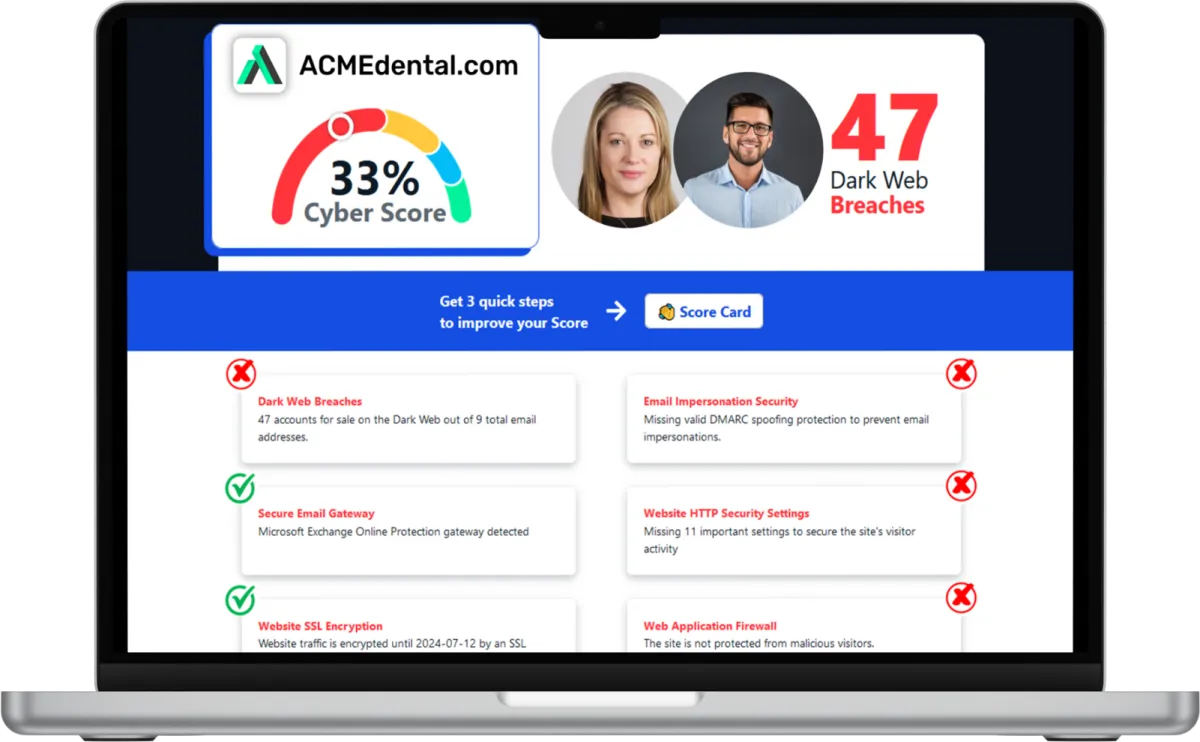
Want to see your Score? Get it in 30 seconds!
If You’ve Been Dealing with IT Challenges,
You’re Not Alone

Sean Inman
Founder & CEO
Inman Technologies is Here to Help.
Inman Technologies is a leading managed IT service provider in Fort Worth, TX, offering a comprehensive selection of outsourced IT support to businesses in Fort Worth, TX, and the surrounding areas, including Aledo, Willow Park, Hudson Oaks, Weatherford, TX, and Oklahoma City and Edmond, OK. We specialize in providing IT support and Cybersecurity services to meet the unique needs of businesses.
Call 682-882-9344 today for IT support tailored to your needs.
Schedule an Appointment Today
Our IT Services
Our IT services bring the core technology needs of your business under one coordinated approach. Here’s how we support your team in Fort Worth across the areas that keep daily work moving.
Help Desk Support
Losing half a day to a login issue or software glitch shouldn't be normal. Our IT services include responsive help desk support, so problems get addressed and your team gets back to work.
Support requests tracked from submission to resolution.
Help desk access for common software and hardware issues.
Clear updates so your team knows what's happening.
Support scoped to your business in Fort Worth.
Network Management
A slow or unstable network quietly drains productivity, often before anyone reports it. Our IT services include ongoing network management designed to catch instability before it disrupts your team.
Monitoring across routers, switches, and connected devices.
Bandwidth reviewed to identify slowdowns and bottlenecks.
Documentation kept current as your network changes.
Support for wired and wireless network needs.
Cybersecurity Services
A single phishing email or unpatched device can expose an entire network. Our IT services layer security protection across your systems, so threats are addressed as part of routine care.
Email filtering designed to reduce phishing exposure.
Endpoint protection across company devices.
Security patches applied on a routine schedule.
Access reviews to help limit unnecessary exposure.
Cloud Services
Scattered file storage wastes time hunting for the right version of a document. Our IT services include cloud solutions built around how your team already works.
Cloud storage configured for secure, organized access.
Migration support for moving systems to the cloud.
Access managed by role across your team.
Applications kept current and properly licensed.
Data Backup and Recovery
Losing files to a hardware failure is more common than most businesses expect, and it rarely happens at a convenient time. Our IT services include backup and recovery planning for peace of mind.
Backups scheduled to run automatically in the background.
Recovery processes tested to confirm they work.
Storage covering both local and cloud environments.
Planning built around what your business can't afford to lose.
IT Consulting
Businesses that grow without a plan often end up with systems that don't talk to each other. Our IT services include strategy and IT consulting support, helping your business in Fort Worth make decisions with a clear view of what's ahead.
Regular reviews of your current technology setup.
Planning tied to how your business is growing.
Recommendations based on what your business actually needs.
A roadmap that avoids duplicate or conflicting tools.
Harness the Power of AI for Your Business
At Inman Technologies, we bring cutting-edge AI solutions to businesses of all sizes. Our AI as a Service offerings are designed to simplify your operations, enhance customer experiences, and drive measurable growth. From automating customer interactions to optimizing your marketing strategies, we deliver secure, tailored AI tools that make your business smarter and more efficient.
What Clients Say About Us
Your Complete IT Solution Partner
I have had the good fortune to work with Inman Technologies for the past two years where they have managed and supported a full range of IT services from basic computer setup and software management to a complete overhaul or our servers and security protocols. Above all, we have developed a relationship with Sean and his team due to their thoroughness and quick response to all our needs.
President of Construction at Ashton Gray
Bobby Snyder
Trustworthy Partner, a Good Company with Integrity, that Cares
Inman Technologies has been the welcome answer for everything IT. Sean and his teams experience, knowledge, and guidance has been second to none. Some firms that we have worked with in the past specialize in one arena or another and have extraordinary fees associated with their services. Not Inman Technologies. iCloud Storage, Proprietary Servers & Software, Firewalls, and Security etc. You name it they can take care of all your needs and then some. Finally a firm that can take care of all our needs and source all the electronics necessary to make our IT needs run safely and more efficiently. We look forward to a successful relationship with one another for many years to come.

David Terres
Vice President at Ramon Franklin
Response times are fast and they always have a solution!
Inman Technologies not only understands tech services, they understand hospitality. They understand their clients and that's why I will forever use Inman Tech. Response times are fast and they always have a solution!
Cole Smith
Director of Leasing at Ashton Gray
Inman Technologies Delivers Affordable Excellence
Inman technologies has done such a great job securing our company technologies. Being a small company that grew quickly we needed a professional company that didn't cost us a fortune to take over our IT infrastructure. Sean was it!
Amanda Taylor
Vice President at Legacy Electric
Partners and products we support to deliver unparalleled productivity:




Business Technology Insights
Explore practical technology insights, industry trends, and expert guidance on the ever-evolving landscape of information technology. Dive in to discover how we leverage cutting-edge solutions to empower businesses and drive innovation.

9 Signs That Your Smart Home Device Has Been Hacked
Smart home devices are becoming more popular and convenient. But they also pose some serious security risks.

5 Cybersecurity Predictions for 2024 You Should Plan For
Cybersecurity is a constantly evolving field. There are new threats, technologies, and opportunities emerging every year.

Workspaces, a VPN & More – Learn the Newest Microsoft ...
Microsoft Edge continues to redefine user experiences. This is due to Microsoft’s commitment to innovation.

Fort Worth Construction Ransomware
Fort Worth Construction Ransomware
So here’s the blunt version. Construction is now one of the biggest ransomware targets in the country, and if you run a Fort Worth construction company, that should get your attention. TechTarget listed construction and engineering as the No. 2 ransomware target by industry in early 2026. And CISA, the FBI, and MS-ISAC said Medusa alone had already hit more than 300 victims. That’s not hype. That’s the environment contractors are working in right now.
And if I’m being honest, most small and midsize construction companies still have the same few weak spots. Shared logins. Loose remote access. Field laptops that never really get cleaned up. Payment approvals happening over email like that’s somehow safe. One bad click in that kind of setup doesn’t just create an IT headache. It can stall a job, delay billing, jam up payroll, and put the owner in cleanup mode before lunch.
So this matters because downtime in construction gets expensive fast. If your project manager can’t pull plans, your accounting team can’t release payments, or your super can’t get the latest drawing set, crews are still standing there. Subs still need answers. Customers still expect movement. That’s why I don’t look at ransomware as just a cybersecurity problem. I look at it as an operations and cash flow problem.
Why construction keeps getting hit
Construction companies are attractive targets for one simple reason. The business moves fast, and fast-moving businesses usually tolerate more risk than they realize. You’ve got office staff, PMs, supers, field devices, accounting systems, shared file environments, and outside vendors all touching the same workflow. And a lot of it depends on people being able to log in from anywhere.
CISA says common entry points include phishing, unpatched software, and exposed remote access. That lines up almost perfectly with how many contractors work day to day. Someone opens a fake invoice. Someone reuses a password. Some old remote access tool is still hanging around because nobody wanted to break it mid-project. And then from there, attackers move laterally, look for file shares, hunt for backups, and start applying pressure where it hurts.
And this isn’t just happening to giant firms with national footprints. Google News surfaced an April 2026 report that Qilin hit UK construction firm TIS. Another February 2026 report tied Akira to Williams Brothers Construction. Different firms, different geography, same lesson. Attackers know contractors can’t afford to sit still for three days while systems are down. That urgency is exactly what makes the industry valuable to them.
Email and payment workflows are usually the first crack in the wall
So if you want the first place I’d check, it’s email. Not because email is exciting. Because it’s where a lot of the real damage starts. A fake subcontractor message, a spoofed payment change request, or a compromised Microsoft 365 mailbox can give an attacker everything they need to watch conversations and step into the middle of a financial workflow.
I’ve seen businesses focus all their energy on antivirus while their inbox rules are a complete mess. That’s backwards. If someone gets into email, they can set forwarding rules, hide messages, impersonate employees, and wait for the right AP conversation to pop up. Now you’re not just worried about ransomware. You’re dealing with business email compromise, fraudulent payment requests, and a cleanup process that touches finance, legal, and operations at the same time.
What to do first:
Turn on MFA for every user, not just admins.
Review mailbox forwarding rules and sign-in alerts.
Put phishing and attachment filtering in place.
Require verbal verification for bank account changes and urgent payment requests.
Shut off old accounts the same day someone leaves.
That’s not overkill. That’s basic protection around the part of your business attackers love most.
Shared credentials create bigger damage than most owners realize
And the next issue is credential sprawl. This is where Procore, Buildertrend, Sage, SharePoint, Microsoft 365, and all the little side systems start becoming one big risk chain. If multiple people share accounts, if passwords are reused, or if former employees and vendors still have access, one stolen login can expose way more than people think.
What’s wild is how often this shows up in otherwise good businesses. The company runs well. The jobs are moving. The owner is sharp. But then you find passwords in a spreadsheet, one login being shared by three people, or an old estimator who left eight months ago still tied into a key platform. That’s the kind of thing attackers hope for.
And this ties back to what the FBI put out in March 2025. Their public service announcement described how China-linked contractors and freelance hackers sold stolen access and data from U.S. victims, including private-sector organizations. In other words, the attack market is specialized now. One group steals access. Another group buys it. Another group deploys ransomware. So you don’t need to be a huge target. You just need to be easy to enter.
What I’d lock down:
Every user gets their own account. No shared credentials.
Use a password manager instead of spreadsheets or phone notes.
Limit admin rights to the people who truly need them.
Review vendor and former employee access quarterly.
Turn on MFA anywhere your core apps support it.
That cleanup alone can shrink your exposure fast.
Field laptops and remote access can turn one click into a company-wide outage
So let’s talk about the field side, because this is where convenience usually wins. Supers and PMs are busy. They’re opening drawings from the truck, logging in from home, connecting on whatever network is available, and trying to keep jobs moving. I get it. But old laptops, delayed updates, local admin rights, and leftover remote-access tools are exactly how ransomware spreads once it lands.
And this is where a lot of owners have false confidence. They think, well, we back up Microsoft 365, or the RMM says the device is online, so we’re probably okay. Not necessarily. If the endpoint is weak and attackers can move into shared files or line-of-business systems, that “probably okay” turns into a very long week.
CISA’s Medusa advisory called out phishing, unpatched software, and exposed remote access as common ways in. That should sound familiar, because those are the same issues I see over and over in small construction environments. Not crazy sophisticated stuff either. Just neglected basics.
What to tighten up:
Deploy managed endpoint detection and response on every office and field device.
Enforce patching on laptops, servers, and network gear.
Encrypt devices in case one gets lost or stolen.
Review every remote-access path and remove what nobody actually needs.
Make sure someone can isolate an infected laptop fast.
If a PM clicks the wrong attachment at 6:00 a.m., you want containment in minutes, not after lunch.
Your cyber insurance only helps if your controls match reality
And this is the part a lot of owners don’t want to hear. Cyber insurance is not a substitute for doing the work. It can absolutely help. But it helps a lot less if your actual environment doesn’t match what was represented on the application.
I’ve seen businesses assume they’re covered because they checked the policy box a year ago. Then a carrier starts asking whether MFA was really enforced everywhere, whether backups were actually immutable, whether remote access was locked down, whether the payment workflow followed policy. If those answers get shaky, now you’ve got an incident and a coverage problem sitting right next to each other.
So before something happens, compare your policy requirements to your real setup. Not the setup you think you have. The one you can prove. If there’s a gap, fix it now while you still have time.
What a smart Fort Worth contractor should do this week
So if you want the practical version, here’s where I’d start this week. Not next quarter. This week.
Audit Microsoft 365 for MFA, forwarding rules, stale accounts, and risky sign-ins.
Review who has access to Procore, Buildertrend, Sage, file shares, and SharePoint.
Check whether field laptops are patched, encrypted, and protected with managed security tools.
Test your backups and confirm they can’t be changed or deleted easily.
Review your payment approval process so bank changes never get approved by email alone.
Compare your cyber insurance requirements to your actual controls.
That’s the stuff that lowers risk in the real world. Not a fancy report. Not fear-based noise. Just getting the basics right in the places where construction companies usually get exposed first.
And the payoff is simple. Fewer payroll delays. Less billing disruption. Lower odds of AP fraud. Better odds that one employee mistake stays one employee mistake instead of becoming a company-wide outage. Even one lost day can cost thousands in labor, delayed draws, rework, and emergency response. So yeah, security costs money. But downtime costs more.
If you’re worried about this specifically, read our full breakdown right here and use it as a checklist against your own setup.
And if you want a straight answer on whether your current setup is actually holding up, book a 15-minute call. No sales pitch, just an honest read.

Frequently Asked Questions About IT Services in Fort Worth
What are IT services?
IT services cover the ongoing support, security, and planning a business needs to keep its technology running, from help desk support to network management. As your IT company, we provide these as one connected service, built around your business in Fort Worth.
What is included in IT services for a small business?
Most businesses need help desk support, network management, security, data backup, and some level of IT strategy. Our IT services bring these together under one team for your business in Fort Worth.
What is the difference between IT services and managed IT services?
IT services include a wide range of technology solutions, such as IT support, cybersecurity, and cloud services, while managed IT services focus on ongoing monitoring, maintenance, and support to keep business technology running smoothly.
Do I need IT services if I already have someone handling tech part time?
Many businesses in Fort Worth start this way. As things grow, a part-time setup often can't keep up with security needs. Our IT services can work alongside your existing setup or take over fully.
How does Inman Technologies handle IT support requests?
Support requests go through our help desk and are tracked from submission to resolution. Our IT services keep your team informed at each step rather than leaving requests unanswered.
Let's Build A Better Network Together
Reliable technology starts with reliable infrastructure. As your IT company, we help businesses create organized structured cabling that supports daily operations and prepares the network for future growth. Whether you are moving into a new office, renovating your space, or replacing aging infrastructure, we are ready to help you plan the right solution.
If you are looking for structured cabling backed by practical IT consulting and dependable IT services, contact us today. We will assess your current environment, explain your options clearly, and build a cabling system that supports your business now and as your technology continues to evolve.

Company
© Copyright 2026 Inman Technologies. Built in partnership with Tech Pro Marketing. | Privacy Policy | SMS Opt-In


